Case study · 2026
Never miss what your coding agent needs.
A phone app for people who run Claude Code, Codex and Cursor. When an agent stops to ask, Nudge explains it in plain words and lets you answer safely, from anywhere.
- Product Designer · solo
- Concept + live prototype
- iOS & Android
- 2026
02Key screens
-
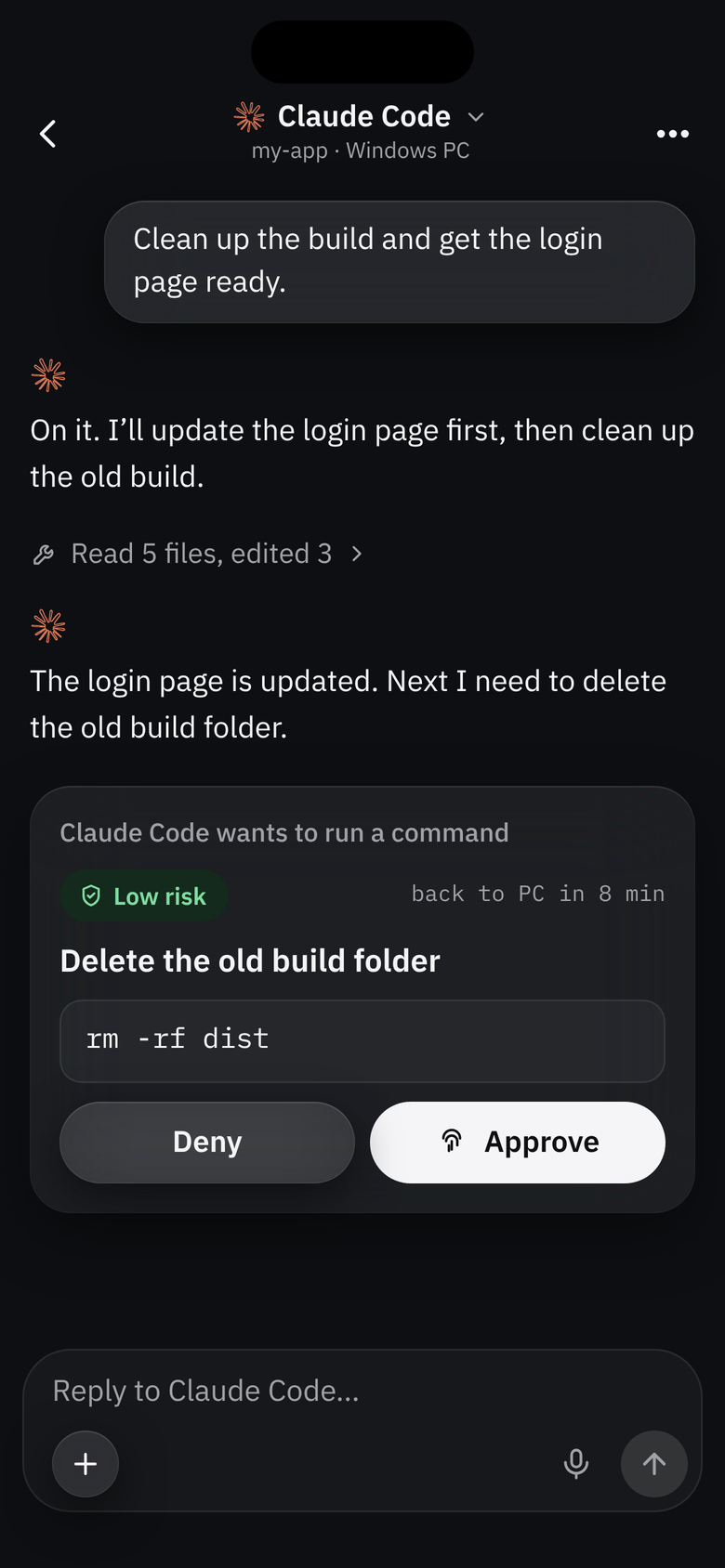
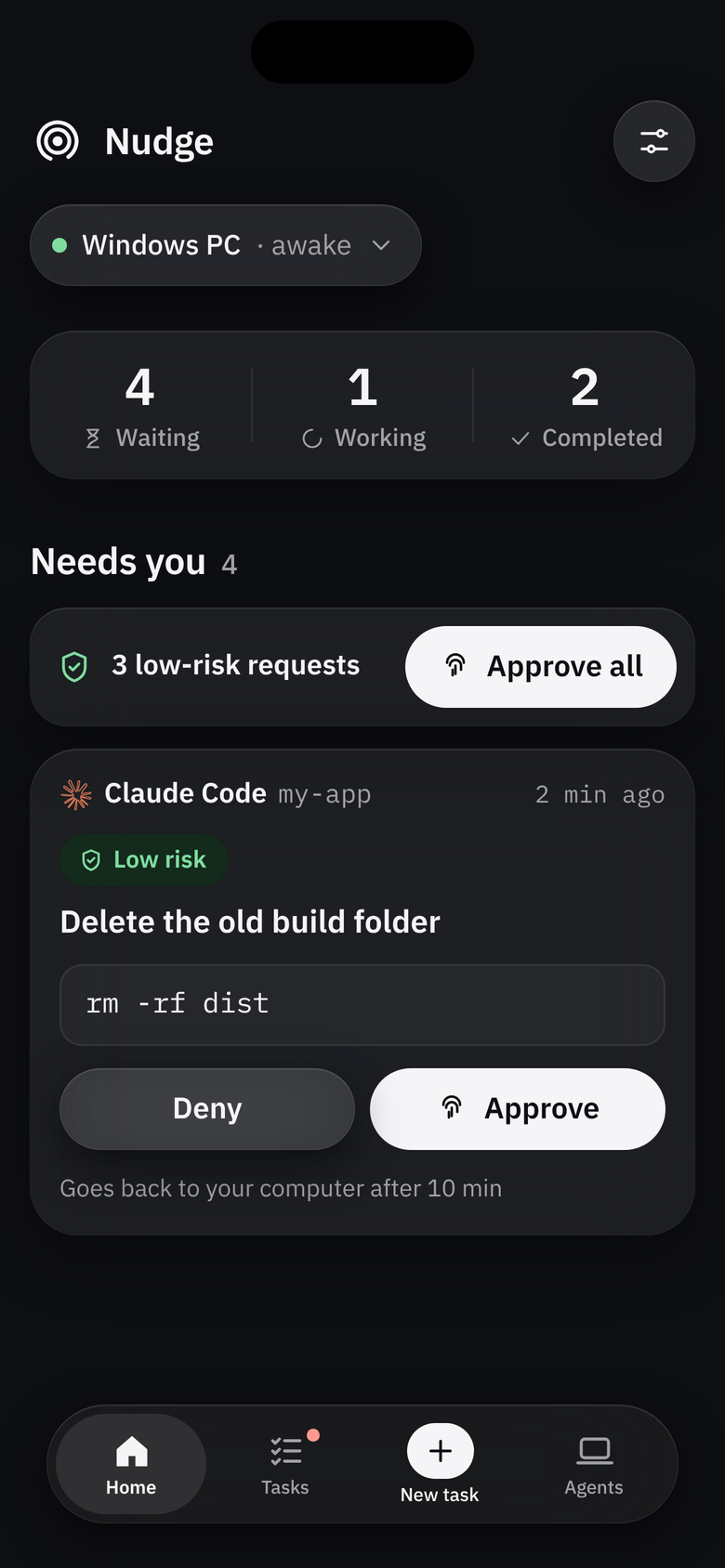
HomeWhat needs you comes first. -
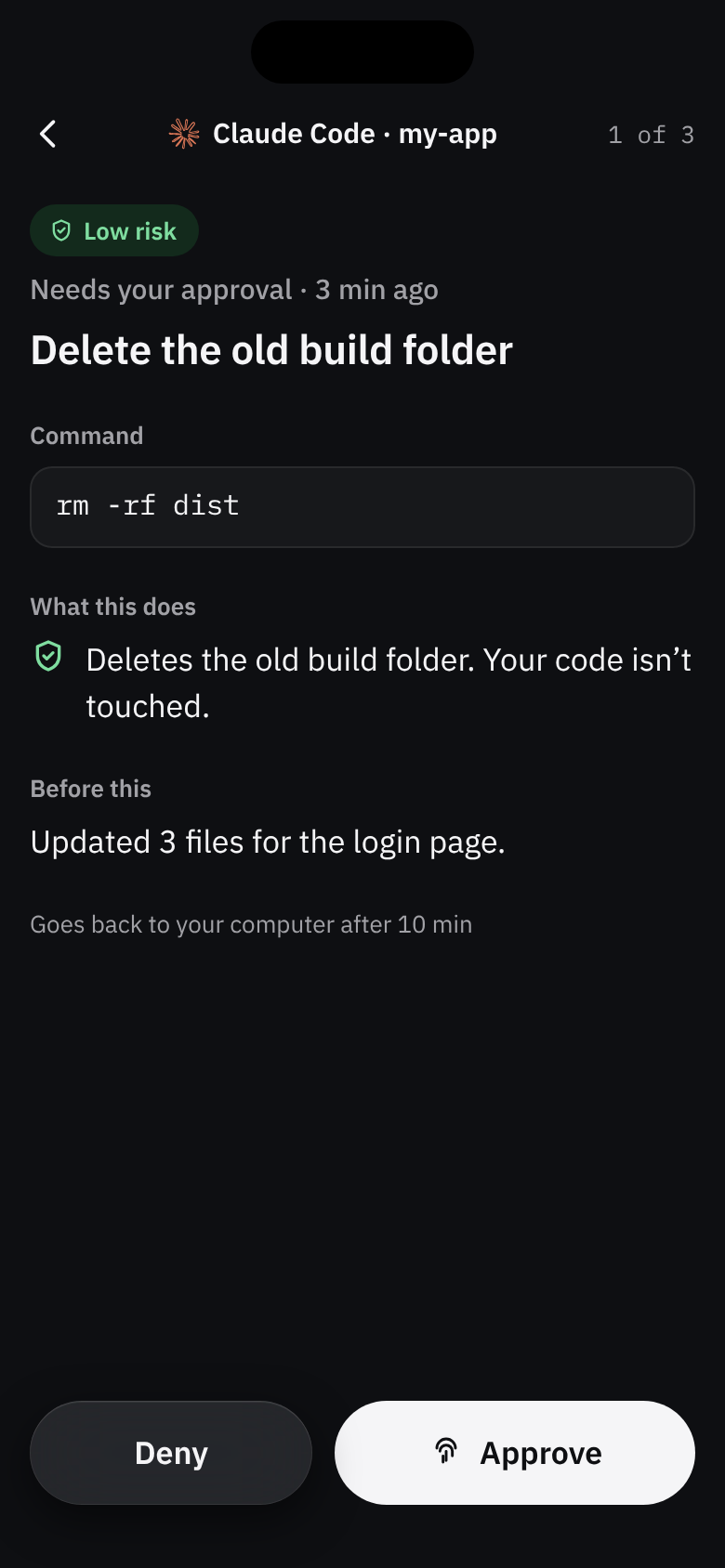
ApprovalPlain words and a risk level. -
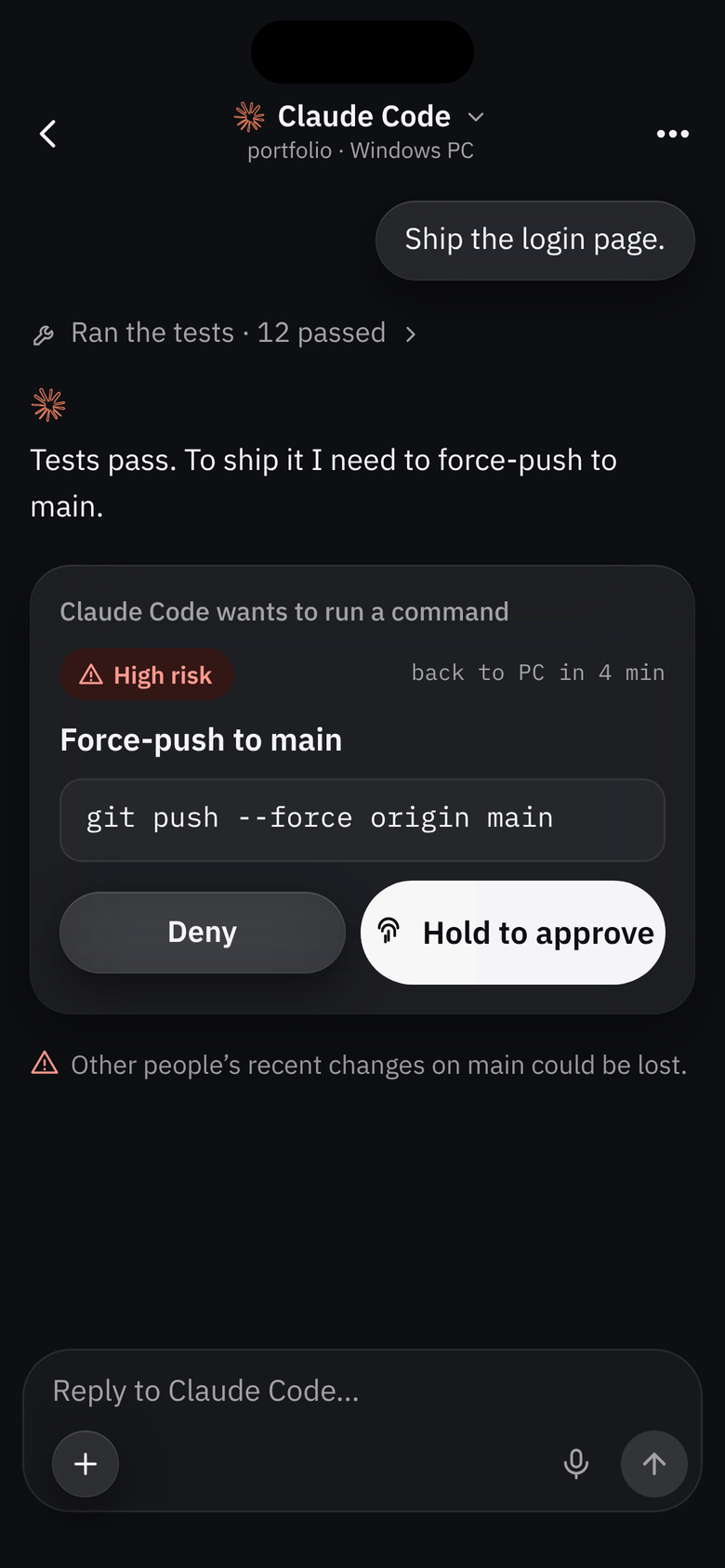
Hold to approveHigh risk is never one tap. -
ChatWorks like Claude and ChatGPT. -
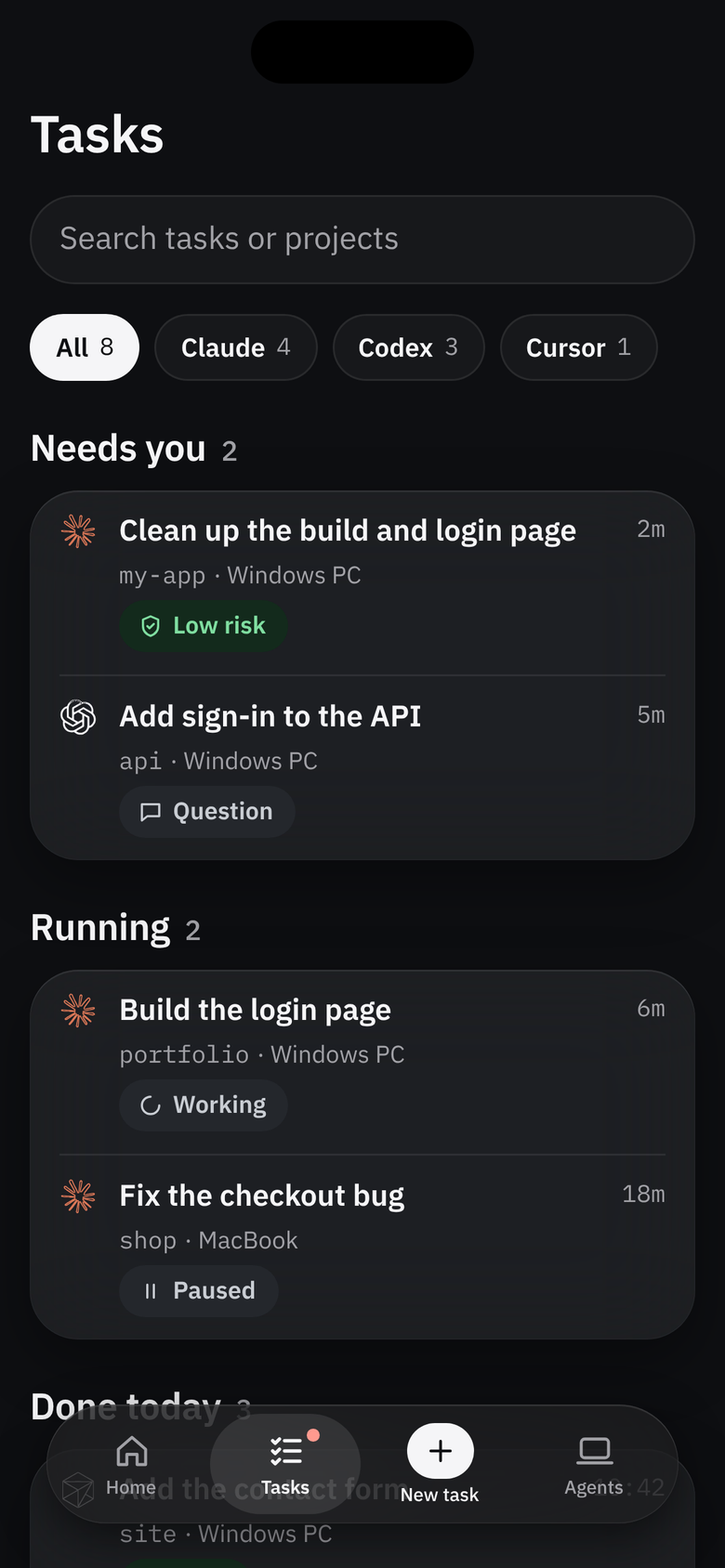
TasksEvery agent in one list.
03Problem statement
- 01
Work stops
The agent waits until the person comes back.
- 02
The session can drop
On Windows laptops, sleep drops the connection.
- 03
Rushed decisions
People approve without reading; work is redone.
- 04
Juggling agents
No single place shows which one is waiting.
The agent doesn’t fail. It waits.
And nobody’s there to answer. People who run AI coding agents, from professional developers to non-coders, step away while the agent works: a short break, a class or meeting, an overnight run. While they’re away, the agent stops to ask for permission or a question, and they don’t see it.
How might we make sure people never miss what their coding agents need, and can answer correctly and safely from wherever they are?
04Research
- Coding agentasks permissionon your computer
- Helpercatches requestson your computer
- Relaypasses sealed messageson the internet
- Nudgeyou decidein your pocket
Why a relay. A phone can’t reach a laptop directly on most networks, and the relay needs no setup.
One approval, step by step
- Agent stops to ask permission
- Hook hands the request to the helper
- Helper sends it to the relay
- Relay pushes it to your phone
- You tap Approve
- The answer returns via the relay
- Helper tells the agent: allow
Two checks before any design
Can it be built, and is the problem real? A great design for an impossible or imaginary product is wasted work.
Can it be built?
Only what each agent supports
A button that can’t work is worse than no button.
| Approvals | Questions | Control | |
|---|---|---|---|
 Claude Code Claude Code | |||
 Codex Codex | |||
 Cursor Cursor |
Encrypted, paired by QR
A phone that can approve commands is a remote control for a computer.
The relay carries locked messages it can’t read.
Free tier
Cost checked first
No big server bill. The real fixed costs are the app store accounts.
Undo restores files only
Saying so up front avoids false confidence.
Constraints mapped first
Each one, with its solution, before drawing a screen: a design decision in disguise.
- Phone offline“Not sent” · Retry
- Computer sleepsKeep-awake · banner
- Request times outBack to the computer
Is the problem real?
- Fact
Agents stall for long stretches on one permission
I assumed: single-agent users are covered by official apps
The core problem is real
- Fact
Official phone apps already handle basic approvals
Nudge must solve what’s missing
- Fact
Laptops sleeping drop the session
I assumed: maybe the biggest unsolved pain
Keep-awake + a clear “offline” state
- Fact
Approving on the move = approving quickly
I assumed: nobody can judge a command in seconds
Plain words + risk level
- Fact
A phone approval once never reached the computer, with no error
I assumed: one silent failure breaks trust
Sent → Reached → Running
- Fact
Each official app shows only its own agent
I assumed: the pain sits with multi-agent users
One place for every agent
Facts before features
I didn’t want to design for a problem I’d only imagined, so I tested the idea against facts first.
What people told me
14
People who use coding agents, heard before building
The facts said the problem existed, but online posts show what’s loud, not always what’s common. They face this problem, and said an app like this would help them.
05Concept thinking
Setup
3- Pair by QR
- See and remove paired phones
- Claude Code, Codex, Cursor
Home (the hub)
3- All sessions on one screen
- One-line live status
- Computer status + keep-awake
Approvals and questions
6- Approve / deny from the lock screen
- Plain explanation + risk
- Summary of what the agent did
- Answer questions
- Delivery confirmation
- Timeout back to the computer
Control
4- Stop → Continue / Redirect / Undo
- Model and intensity
- Voice
- Start a new task questioned, then kept
Later
2- Approval history
- Trust rules
Need real usage first.
Cut
2Commit and push buttonsApprovals already cover themEditing code on the phoneClutters a quick tool
A remote for all your agents
Not just a way to say yes. One hub that shows what’s working, waiting and done, because people running agents need the whole picture, not one prompt at a time.
- PrincipleBuilt on the gapsBasic alerts and approvals already exist. The gaps were one place for every agent, plain-language risk, proof an answer arrived and a computer that stays awake.
- PrincipleEvery feature answers a factFrom pairing by QR to voice replies, each kept feature traces back to the research.
- KeptNew task: questioned, then keptA task often finishes while you’re away, and you want to start the next step without going back.
- CutEditing code and commit buttonsA phone is the wrong place to write code, and commits already arrive as approvals.
- LaterHistory and trust rules“Always allow this in this project” needs real usage before it can be designed well.
- 1 · Setup
Connect your computerScan code shown on computerAgents foundClaude CodeCodexCursorSettings › paired phones
- 2 · Home (the hub)
Your computerAwakeClaude Code · appWaiting for youCodex · apiEditing login.js…WorkingCursor · siteDone+ New taskVoice
- 3 · Lock screen notification
Claude Code · appWants to delete old build filesLow riskApproveDenyOpen
- 4 · Approval detail
What it did so farIt wants to run
rm -rf distplain explanationLow riskApproveDenySent → reached computer → running - 5 · Answer a question
Which login method should I add?Email and passwordGoogle sign-inType your answerVoice
- 6 · Session control
Codex · apiEditing login.js…Model: defaultIntensity: mediumStopAfter stopContinueRedirectUndo
06User flow
- Agent asks permission
- Several requestsGrouped per session, queue
- Notify: explanation + risk
- High riskFull command shown
- Answered on computerNotification removed
- No answer in 10 minGoes back to computer
- (optional) Open full detail
- AI explanation offRisk and command only
- Approve (fingerprint) or Deny
- Fingerprint failsUse phone PIN
- Tapped too lateExplain + message agent
- Answer sent
- Phone offlineNot sent, retry
- Didn’t reach computerShow failure, retry
- Reached computer, running
Every path, including failures
I mapped every path from sign-in to every feature, including what happens when things go wrong, because that’s where trust is won or lost.
Set up
- Familiar sign-inGoogle or email and password, the two most familiar options.
- A short explanation firstThe first step happens on the computer, so people need to know why before they install anything.
- You confirm each agentThe helper finds agents automatically, and nothing connects without a yes.
- Notifications, with a reasonAsked for right after pairing, the moment the value is obvious.
- Keep-awake from the startOffered as soon as Home opens, so the session doesn’t drop on the first use.
Answer
- Face ID or fingerprintApprove from anywhere. Typing needs the app open, because a typed answer deserves a full screen.
- One queue per sessionSeveral requests are reviewed in order instead of hunting.
Control
- Stop confirms only when files changedAsking every time teaches people to tap through confirmations.
- Undo, one step at a time“Go back further” is there too, so bigger rollbacks are a deliberate choice.
- Limits explained, not hiddenCursor’s Stop button is shown with an explanation, so people understand the limit instead of wondering where it went.
- Take over from StopTapping Stop asks once, “This stops it in your terminal and continues from your phone”, instead of a Take over button.
When it fails
- Nothing fails silentlyEvery failure gets one clear message and one next step, from a sleeping computer to a failed QR scan.
07Flowcharts
- Approvals
- Questions
- Control
- New task
- Install the app
- Sign in (Google or email)
- Forgot passwordReset link
- Read short setup steps
- Tap “Email me the link”
- Email not receivedResend
- Install helper on computer
- Install failsRetry / other method
- Scan QR code with phone
- Scan failsRetry or type 6-digit code
- Code expiredHelper shows a new code
- Confirm detected agents
- No agents foundInstall links, scan again
- Connect each agent (Yes)
- User taps NoShown as not connected
- Choose keep-awake
- Keep-awake declinedChange later
- Allow notifications
- Notifications deniedWarning on Home, Turn on
- Home
- Open app
- Notifications offWarning + Turn on
- Computer switcher + status
- Computer offlineNotify once + banner
- Agent disconnectedOne-tap reconnect
- Waiting for you, first
- No sessions yetEmpty state + New task
- Working · one-line status
- Done · clears in 24 h
- Tap session or New task
- Agent asks a question
- Notification shows it
- Up to 3 short optionsTap one + fingerprint
- Open answer screen
- Plan to reviewSummary + read full plan
- Pick, type or speak
- Empty answer“Type an answer first”
- Voice: check and edit text
- Words misheardFix before sending
- Sent, reached computer
- Timeout / offline / too lateSame as approvals
- Open a session
- Status, model, intensity
- Tap Stop
- Agent can’t do thisButton shown, explains why
- Files changed: confirm
- No files changedStops right away
- Session stopped
- Continue, Redirect or Undo
- UndoLast step, or go back further
before feedback New task, as first designed
- Tap New task
- Choose computer
- Computer offlineCan’t start, explains why
- Choose agent
- Agent can’t start tasksShown, explains why
- Folder: recent + search
- Search finds nothingNo project found
- Type or speak instruction
- Safety: ask every action
- Change safetyBefore Start
- Start, appears in Working
- Usage limit reachedPaused, continues at 3:45Session line only, no alert
- Task finishedNotificationCan turn off
- Task failedNotificationCan turn off
- Session doneFades, gone after 24 h
08Wireframes
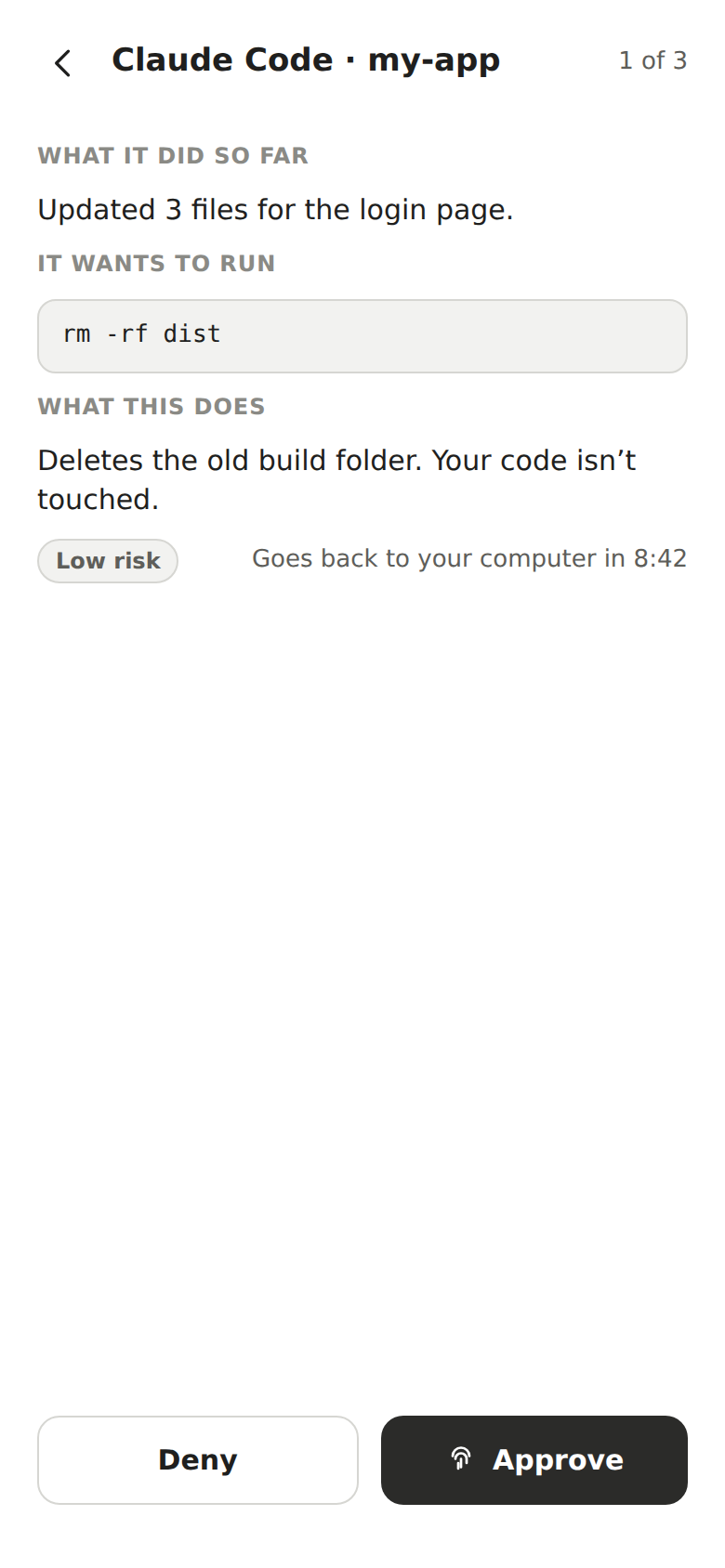
Approval 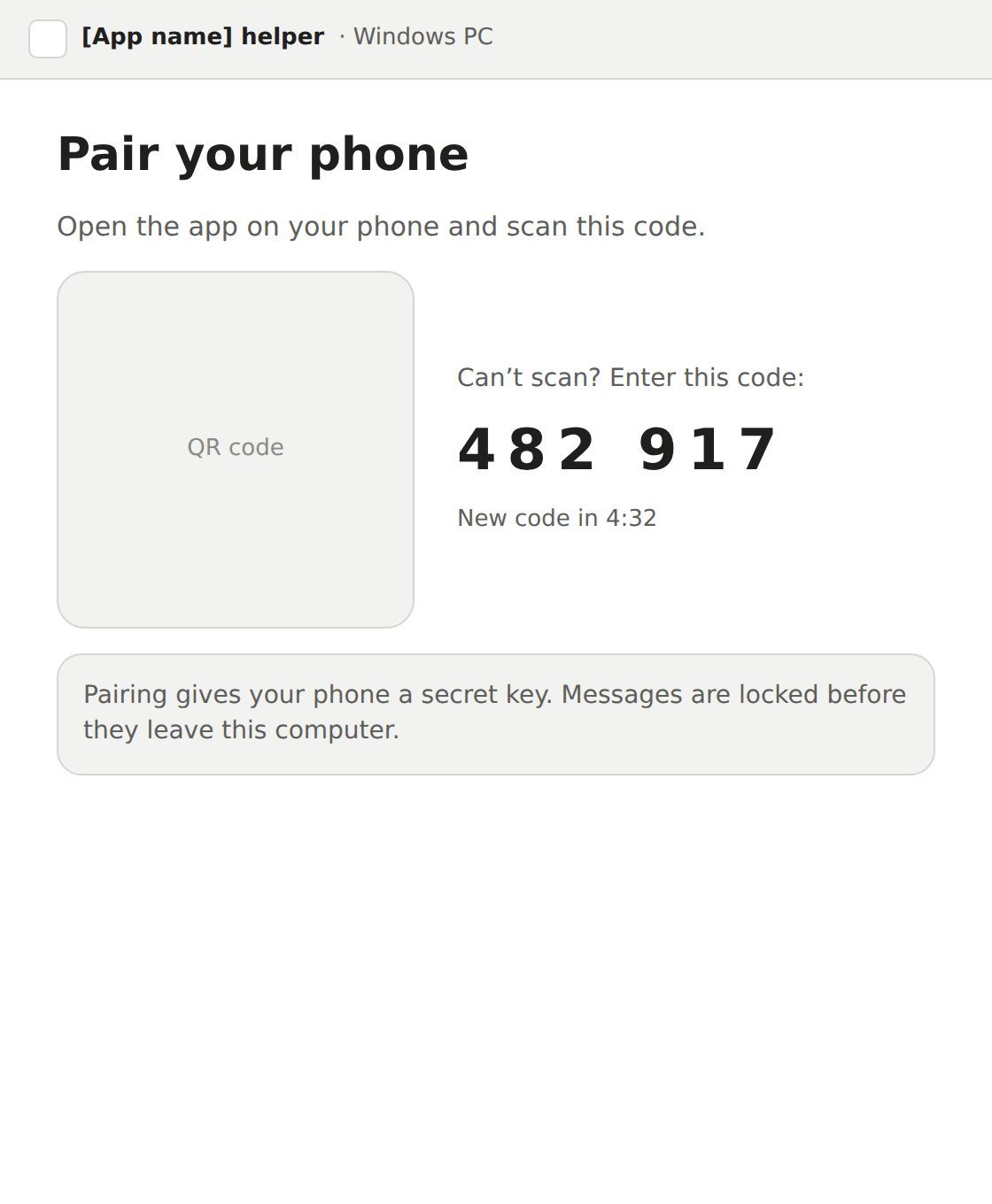
Computer helper
53 wireframes before any style
Every screen in the flow at mid-fidelity, so structure and flow were settled before style could distract from them.
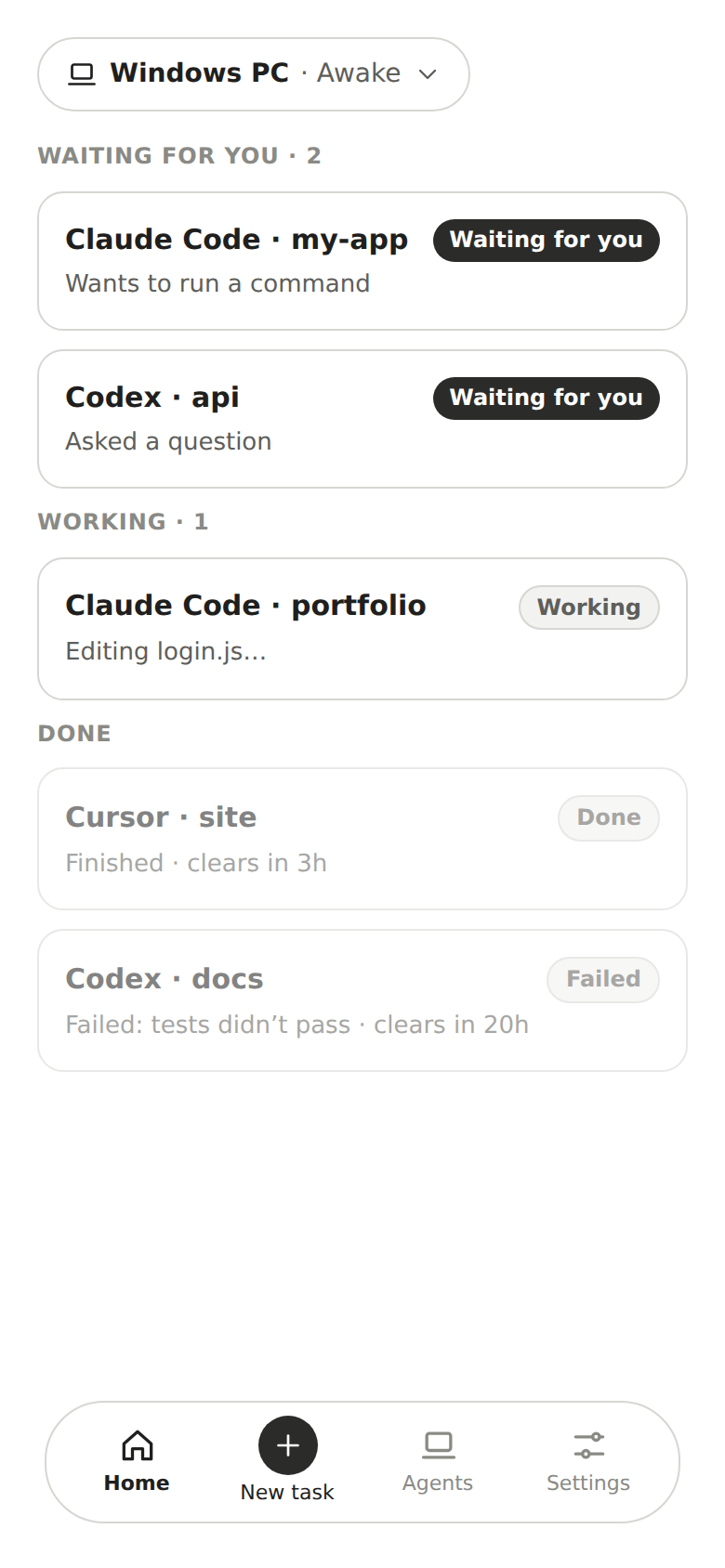
- Floating bottom navigationLike iOS apps use today. Content stays visible, and it’s reachable with one thumb.
- Four items, not threeThree looked unfinished at the bottom of the screen.
- Add a computer, in the dropdownThat’s where people look for their computers.
- One more checkFor anything missing before moving on, because a missing screen costs minutes now and days after visual design.
- Feasibility, checked againAgainst an app built on the same idea, so the design wouldn’t promise anything impossible. It confirmed Undo restores files only, Cursor can’t be controlled, and how to handle sessions started in the terminal.
09Moodboard
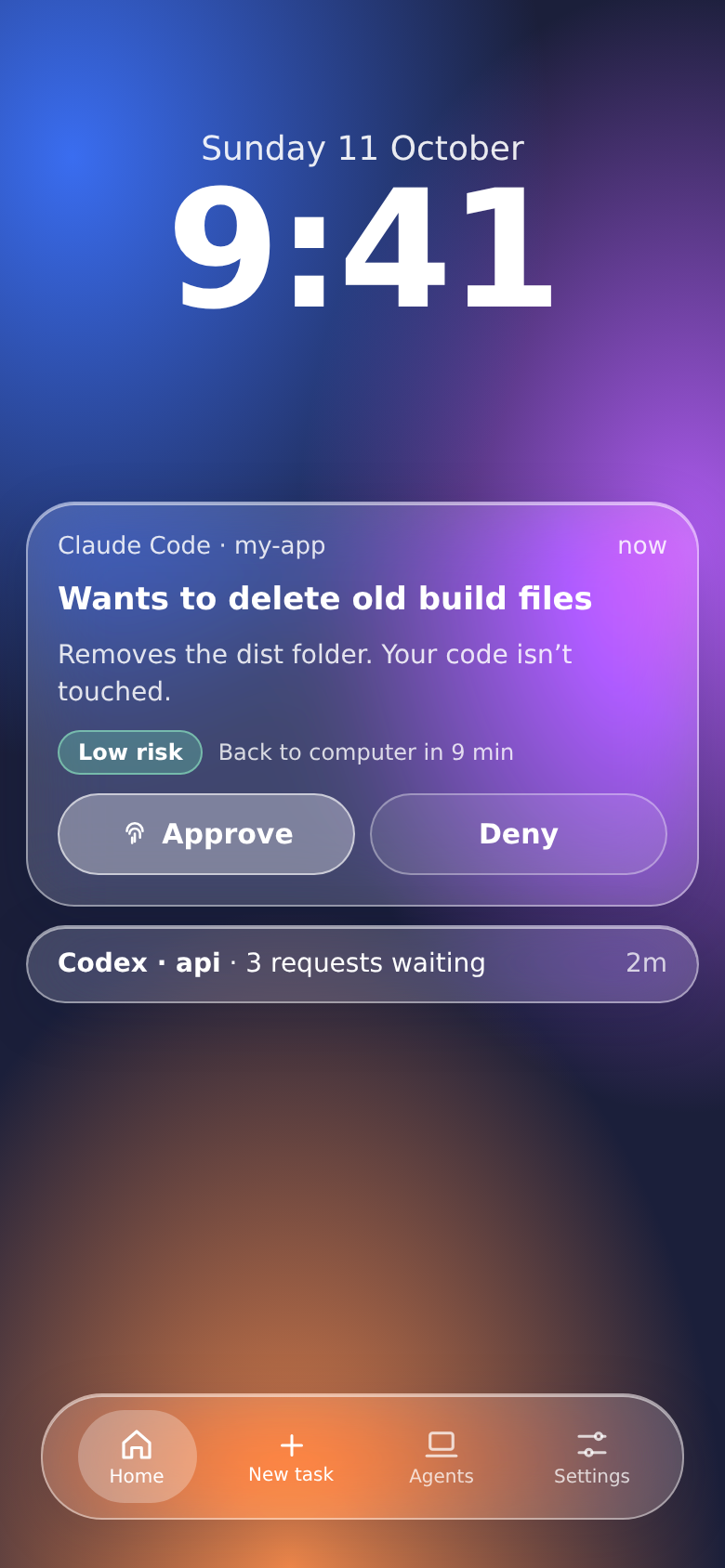
Liquid glassRejected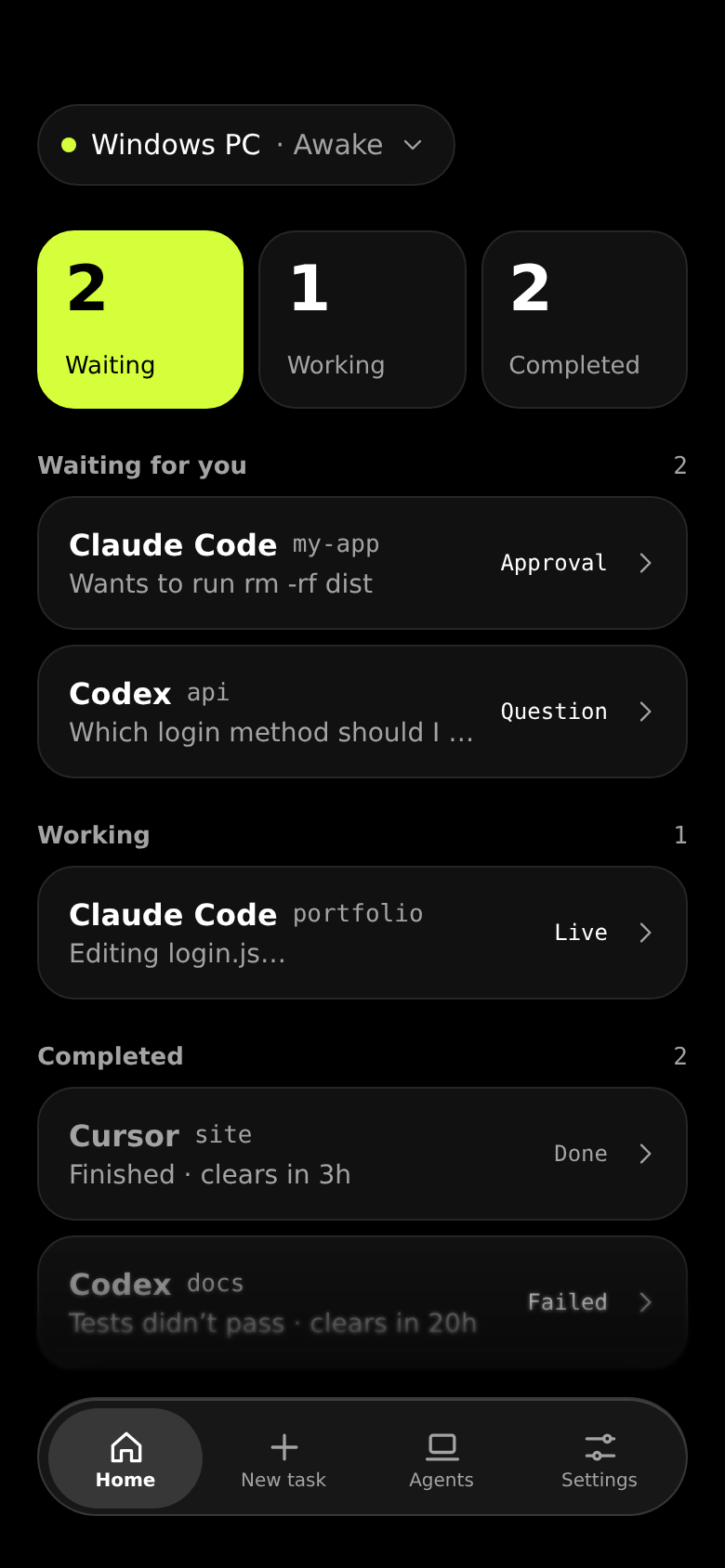
Neon accentRejected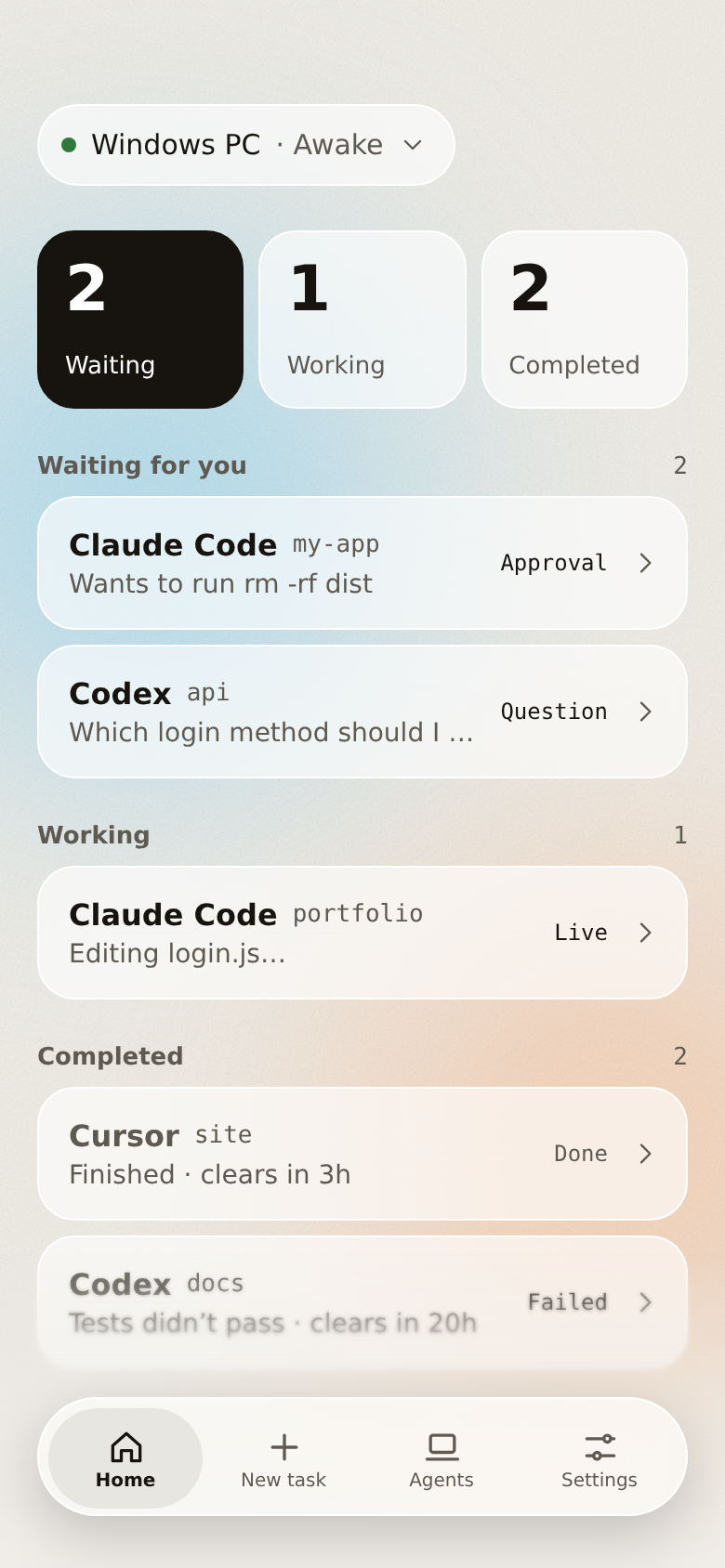
Warm editorialRejected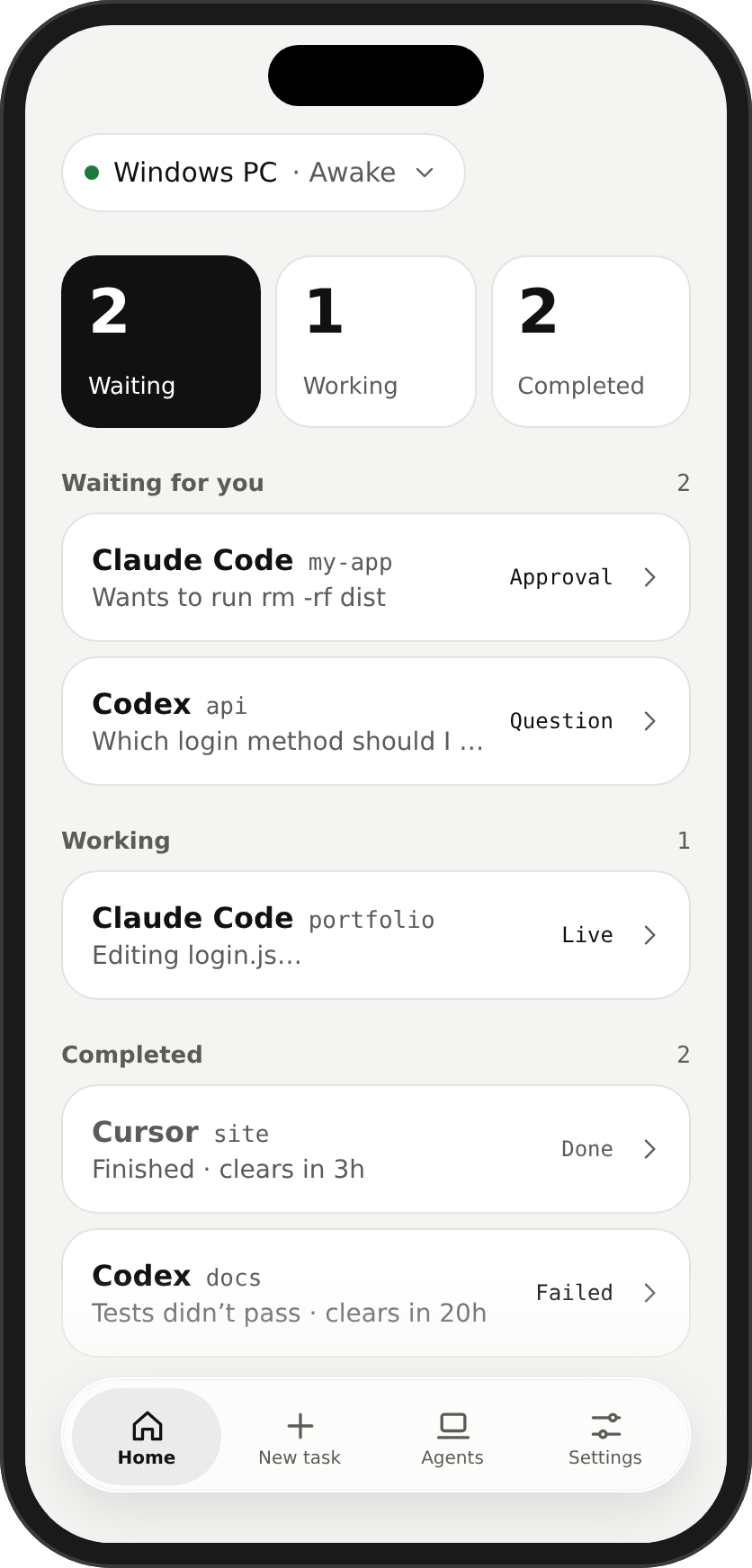
Chosen base: minimal
Most directions, rejected on purpose
I explored colour and type directions with Claude, because the first options were rarely good enough to build a product on.
- RejectedDated styles rejectedThe first set looked like styles from 2020, and a tool for AI agents has to feel current.
- Asked forA mix of two directionsHeld to HCI and Google guidelines, contrast and spacing, so a style choice couldn’t turn into a usability problem later.
- RejectedCorrect isn’t enoughDirections that looked lacking were rejected even when they followed the rules. It has to feel premium.
- ChosenCalm minimalismModern effects and strong typography, because a screen you decide on in seconds has to stay calm. Dribbble references set the quality bar.
10Design system
Type · IBM Plex
- Large title 28
- Title 22
- Headline 17
- Body 17
- Footnote 13
- rm -rf dist · Mono 15
Mono only for commands, project names and times, so code reads as code.
Colour · black & white, colour = risk
- Background
#0E0F12 - Surface
white 6.5% - Ink
#F5F5F7 - Secondary
#A1A1A6
- Low risk
- Medium risk
- High risk
- Working
Colour means risk or status, and never alone: always an icon and a word.
Components · 44 pt targets
Numbered options first, typed answer last, so every question works the same way.
One decision at a time
Each option checked against platform guidelines, so no visual choice could break usability later.
- Colour came lastSo it couldn’t hide weak layout or hierarchy.
- 8-point grid, 44 pt targets16px side margins keep spacing consistent, and every tap lands.
- Glass only on bars and buttonsNever as decoration, so content behind turns to haze instead of fighting the labels.
- Apple’s type rampNothing below 12px, so text stays legible and the app feels native.
11Design
![The first full design: a light Home titled [App name] with a black Waiting tile, a request card with Deny and Approve, and a question card with numbered options.](/Nudge/assets/design-before-836-CUv5HNxi.png)
Before: first design 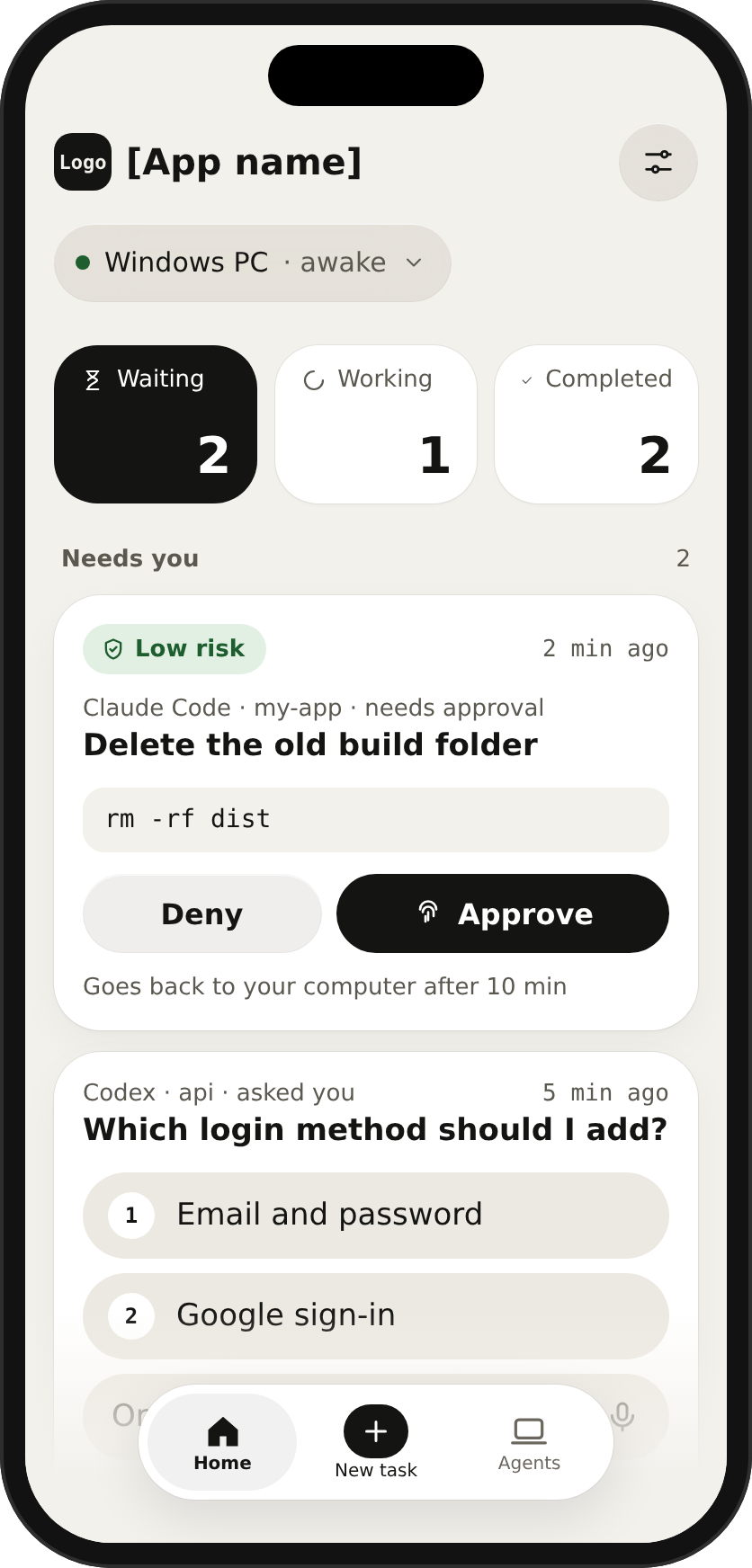
Grey backgroundRejectedAfter: final
- In-app mark
- App icon (dark tile)
- App icon (light tile)
- NudgeLockup
Better by removing things
The first full design got a hard review. Most changes removed things, because every extra element competes with the one decision on screen.
- Needs you, firstHome keeps Needs you → Working → Completed, because what needs you must always come first.
- New task in the centreSettings moved to the top-right and New task to the centre of the tab bar, where the most-used action belongs.
- No countdownsA ticking clock pushes people to approve without reading. Requests show “x min ago” and “Goes back to your computer after 10 min” instead.
- Friction matches riskLow and medium: Approve, then Face ID or fingerprint. High: Review, then Hold to approve, because a dangerous command deserves a deliberate action.
- Colour on the icon onlyAlerts never colour the text, so warnings stay readable and the screen stays calm.
- Black and white summariesSummary boxes use icons, because colour is reserved for risk.
- No grey backgroundIt made the whole app look unfinished.
- Named NudgeA logo of rings opening outward, a signal reaching you. Blue was dropped for black and white, which leaves colour free to mean risk.
- Dark first, light tooDark is the version I refined furthest in Figma. Every component exists in both modes, so either stays consistent.
12Prototype
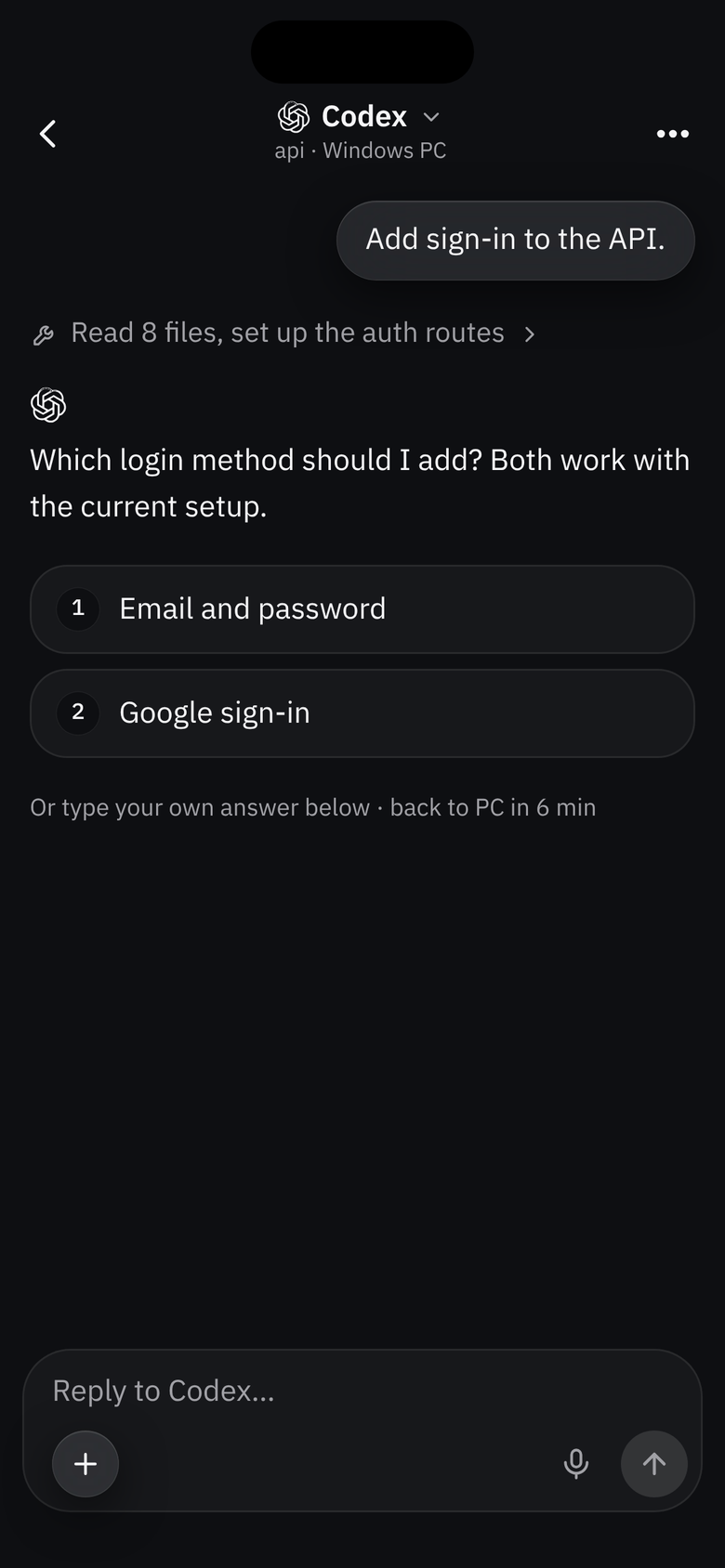
A real app, not a slideshow
People judge an experience by using it, not by looking at screenshots.
Open the prototype (opens in a new tab)adnnankhan.github.io/Nudge/app
- Anywhere, installablePhone, laptop or desktop, and it installs to the home screen.
- Real interactionsHold to approve, Face ID, typing, voice and requests arriving on their own.
- Built against the designsMade in Claude Code from detailed specs, tested in short rounds.
13Feedback and iteration
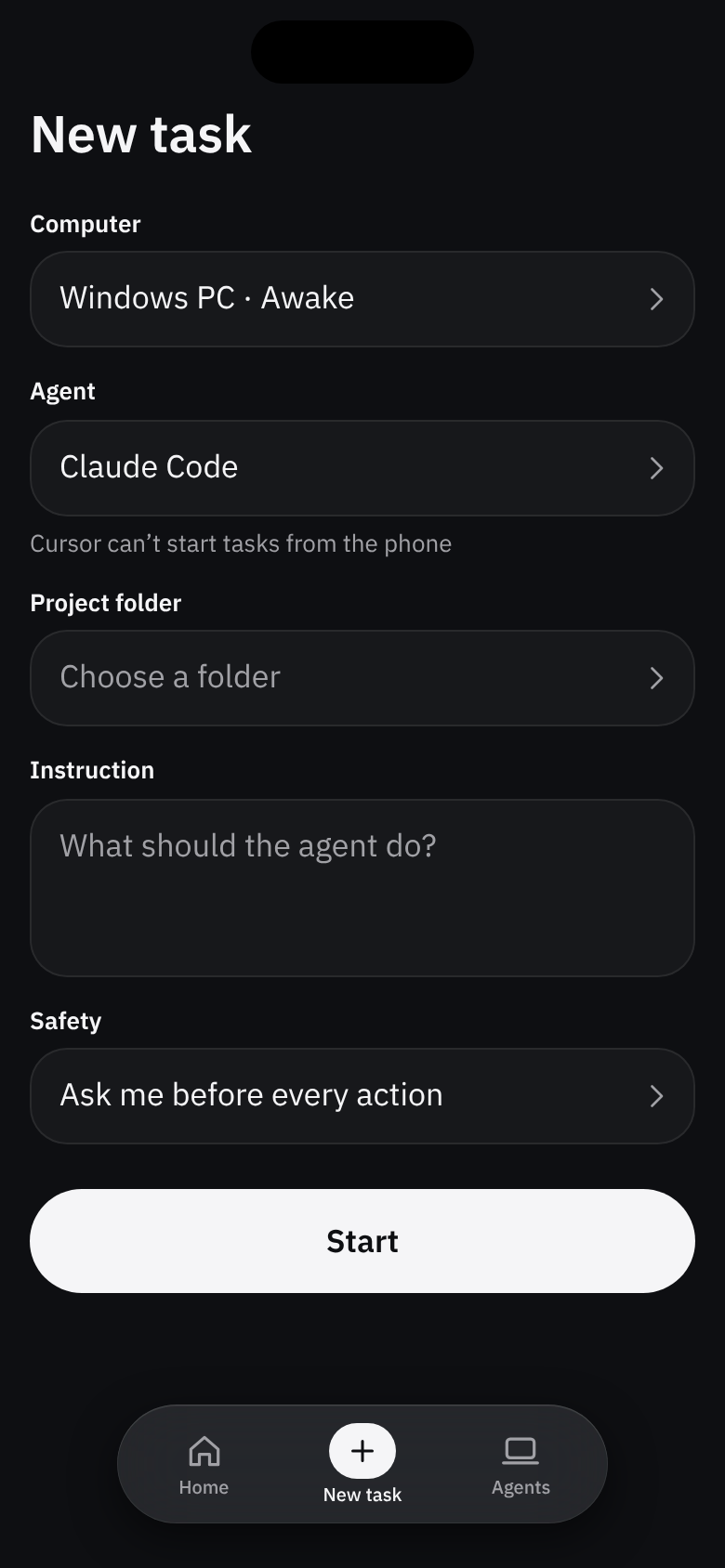
Before: New task form 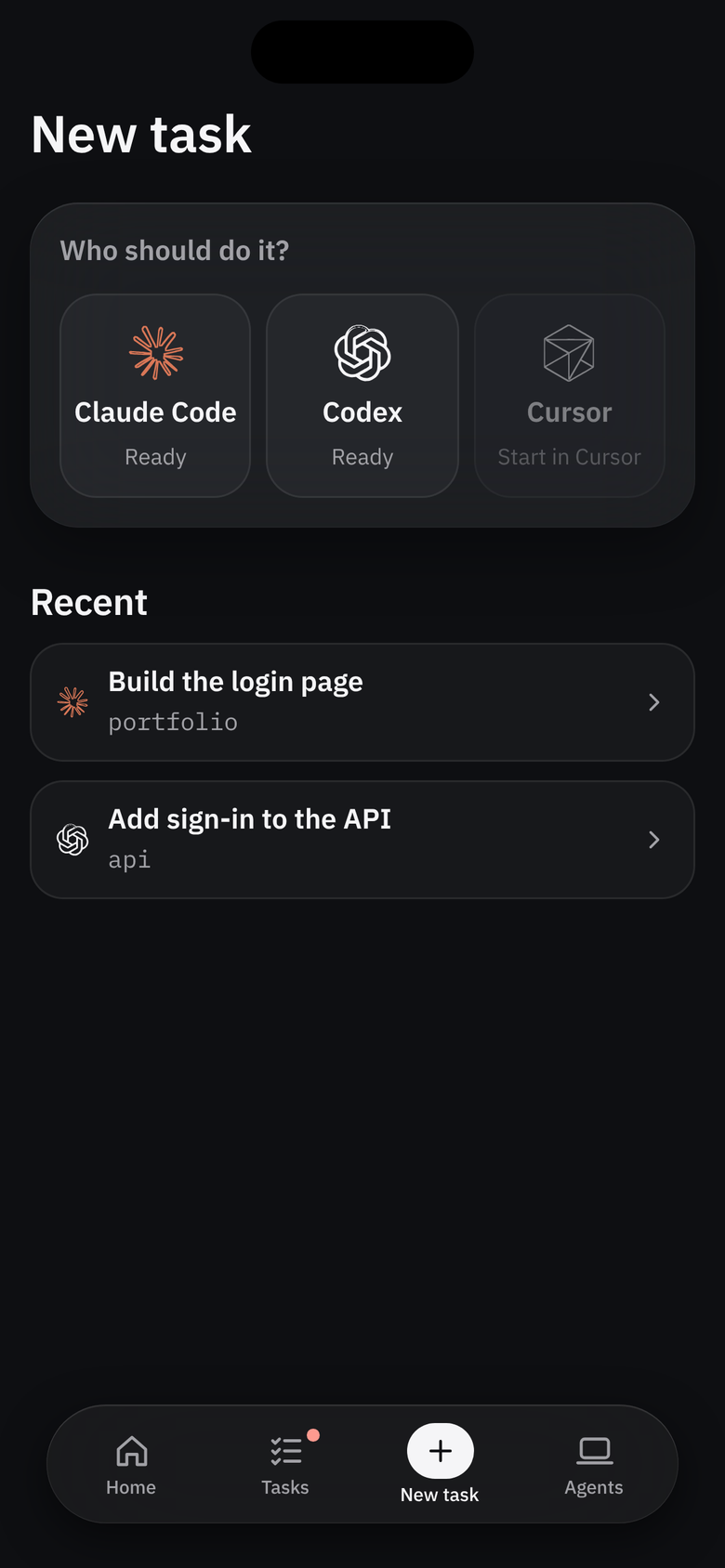
After: pick an agent 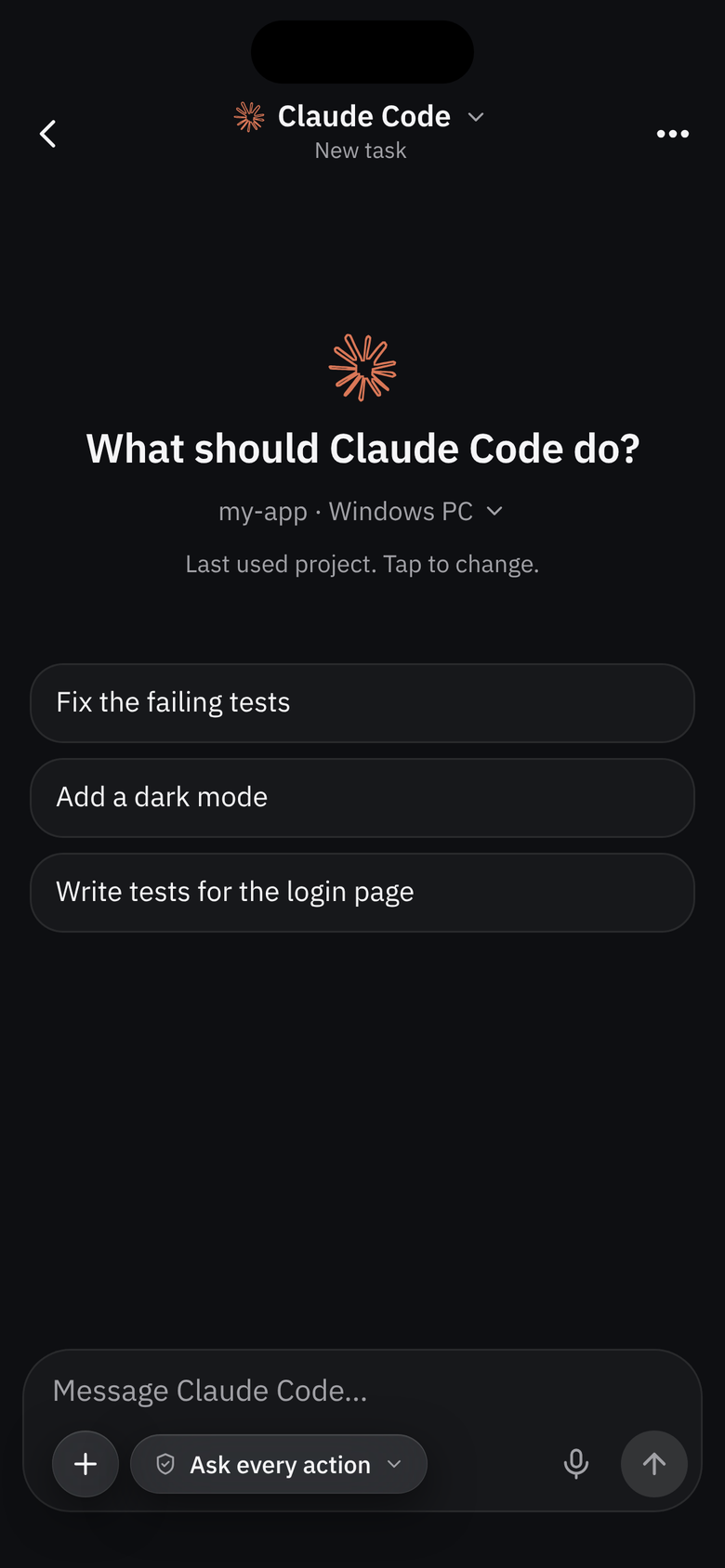
Then a normal chat Card → its chat
Tested with people who use agents every day
The people who’d use Nudge are the ones who can tell what’s missing.
Chat, without becoming a chat app
Its job is still to get you the right decision fast.
A chat-based way to work was missing
Adding a new task felt complicated
Nothing asks twice
I walked the flows as a frustrated user and removed every repeated question, because each one is a moment someone gives up.
- New task remembers your choices
- Cards don’t repeat who and where
- Voice drops into the message box
- An open app shows one banner
- Home keeps your place
- Low-risk requests approved together
- One check covers low and medium for 5 min
Thanks for reading
Nudge makes sure people never miss what their coding agents need, and can answer correctly and safely from wherever they are.